API development & integration
Most businesses run on several good systems that don't share information. The website collects inquiries, the CRM tracks customers, the accounting software handles invoices, and the store takes orders — and someone's job has quietly become exporting from one and importing into another.
Integration connects those systems so each piece of information is entered once and appears everywhere it's needed. Because we build websites as well as business software, that includes the connection most businesses leave until last: between the public website and the systems behind it.
What is an API integration?
An API (application programming interface) is a defined way for one piece of software to request information from, or send information to, another. An API integration uses those interfaces to connect systems so data passes between them automatically. For example, an integration might create a customer record in your accounting software whenever a deal is won in your CRM, or update an online store's stock whenever inventory changes.
Custom API development is the other direction: building an API for your own system so other software — partners, apps, or your own tools — can work with its data in a controlled way.
What makes an integration reliable?
Integrations rarely fail on the first day. They fail months later, quietly — a password expires, a provider changes its API, a record contains unexpected data — and nobody notices until something is missing. Reliability comes from how the integration is built:
Uses each provider's supported method, with credentials stored securely rather than in code
The integration can only read or change what it needs to
Requests paced to stay within each provider's limits, so bursts don't get blocked
Temporary failures are retried automatically instead of dropping data
Every exchange recorded, so problems can be traced
Someone is notified when something needs attention
Repeated messages don't create duplicate records
Anyone can understand what the integration does and maintain it
An integration built without these works in a demonstration. One built with them works a year later.
What you get
Third-party integrations
Connections to accounting, payment, shipping, ecommerce, mapping and marketing platforms, built around each provider's official API.
Website, store and CRM connections
Website inquiries passed into a CRM; orders and inventory shared between an online store and the system that manages them.
APIs for your own systems
A documented API so partners, apps or other tools can work with your system's data in a controlled way.
Webhook-based syncing
Systems notified as soon as something changes, instead of waiting for nightly batch jobs.
Data mapping and validation
Fields matched correctly between systems that describe the same things differently, with validation so bad data doesn't spread.
Monitoring, error handling and documentation
Retries, logging and alerts; documentation for handover. Source code and IP transferred on delivery.
Common integrations
- Website → CRM — inquiries become leads, with their source recorded
- CRM → accounting — won deals become customers and invoices
- Store ↔ inventory — stock levels and orders synchronized
- Payments → accounting — payments reconciled automatically
- System → email or messaging — notifications when records change
- Mapping and geocoding services — addresses converted to locations for planning
Is this you?
- Invoices created in one system are typed again into accounting software.
- Store orders are re-entered into an inventory or order system.
- Website inquiries arrive by email and are copied into the CRM.
- Payment information is checked manually across several platforms.
- An existing integration breaks occasionally and nobody notices.
If the goal is to remove a whole manual process, see business process automation.
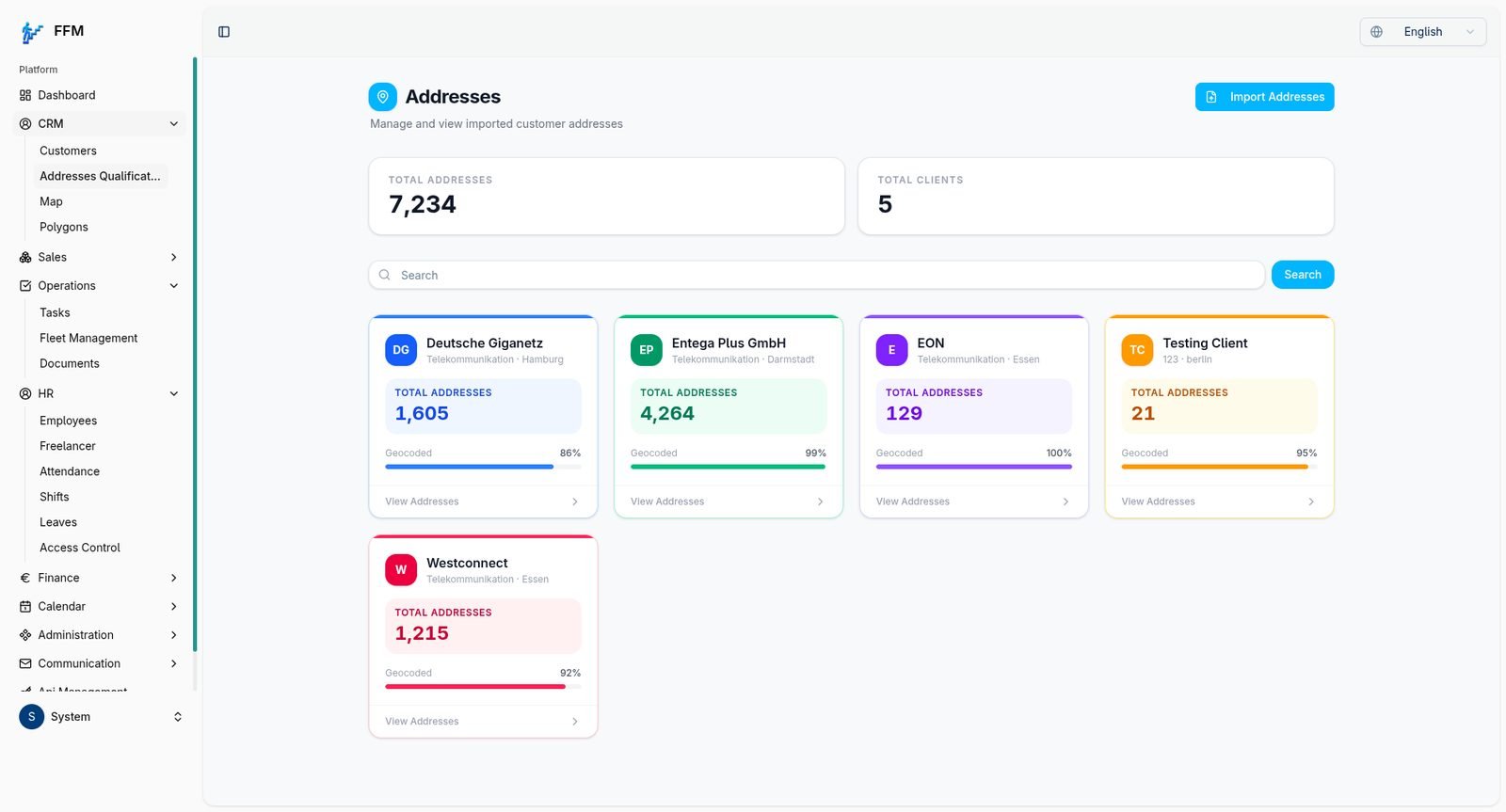
Future Steps CRM
Integrated with a mapping and geocoding provider to plot and geocode over 7,000 customer addresses across 5 client accounts inside the CRM.
Read the case studyWhat it costs
Main factors:
- Quality of each system's API
- Data volume
- Transformation between systems
- Monitoring needs
Frequently asked questions
What if one of our systems doesn't have an API?+
There's often still a route — scheduled file exports, a shared database, or an email feed. If there's no reliable option, we'll say so before work starts.
What happens when a provider changes its API?+
Providers occasionally change or retire parts of their APIs. Documented integrations with proper alerts make those changes quick to spot and fix.
Is it safe to connect our systems?+
Integrations use each provider's official authentication, only the permissions they need, and securely stored credentials.
Can you fix an integration someone else built?+
Usually. We review how it works, find why it fails, and decide with you whether to repair or rebuild it.
Discuss your integration
Tell us which systems need to talk to each other and what gets copied between them today. We'll check what each system's API supports before you commit.