Future Steps CRM
A live CRM built for a professional-services team managing address and client data for telecoms customers — with map-based address geocoding, freelancer and contract management, and day-to-day reporting, replacing a spreadsheet three people were maintaining separately.
At a glance
Where things stood
Future Steps manages address and client-outreach data on behalf of its own telecoms customers — importing large batches of addresses, qualifying them, and tracking which have been geocoded and actioned. Before the CRM, this lived in a spreadsheet trail that three people were maintaining separately, with no shared, live view of progress per client.
What it was costing
Spreadsheets don't geocode addresses, draw service-area polygons, or tell three different people they're all editing the same row at once. Progress per client account had to be tallied by hand, and there was no map view to show where addresses actually sat relative to planned routes or service areas.
What success meant
- One address book per client account, with import, search and a live geocoding rate instead of a static export.
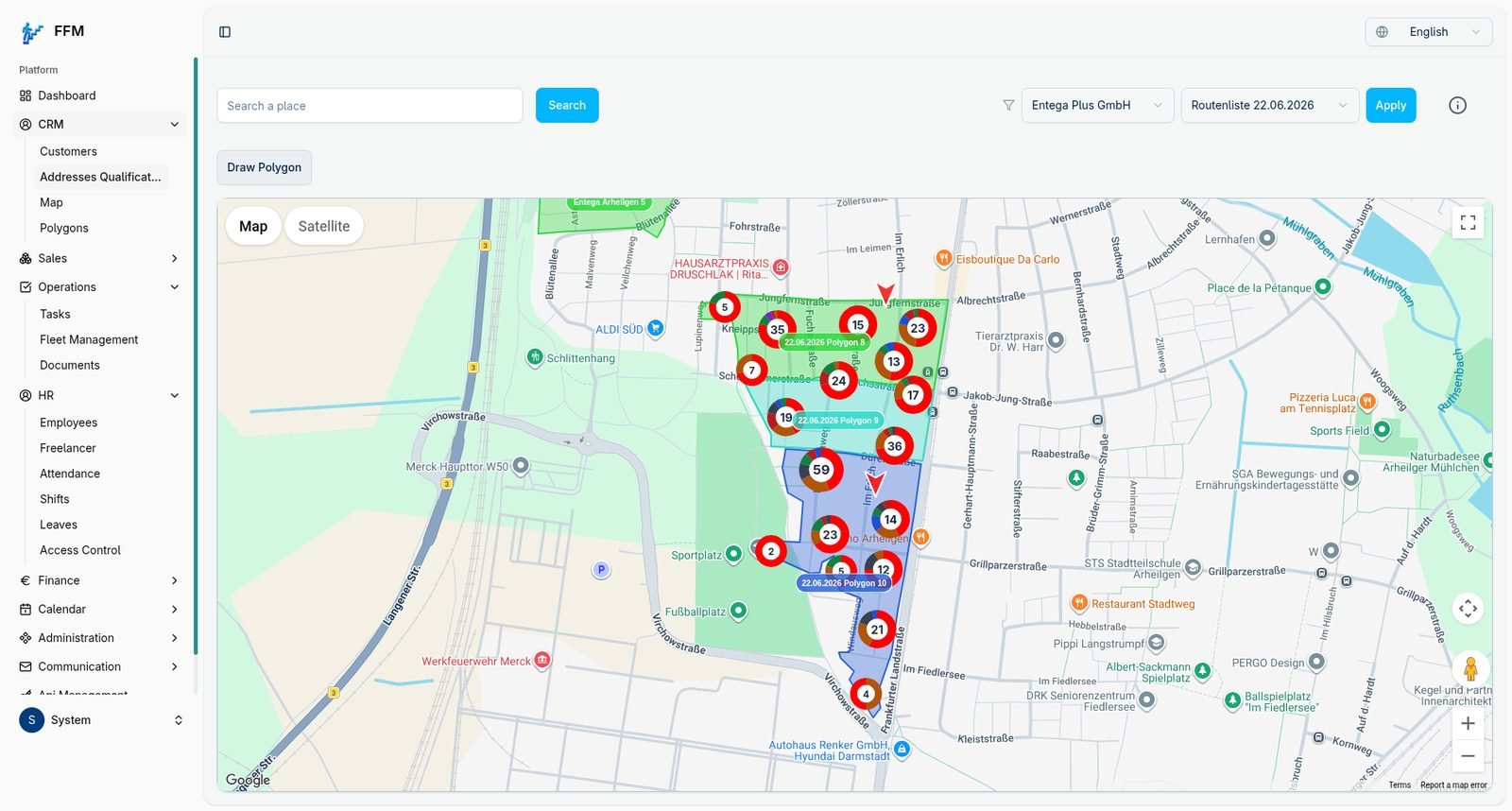
- A map view that plots addresses and lets the team draw and filter by polygon for route and area planning.
- Freelancer and contract management alongside the core CRM data, not in a separate tool.
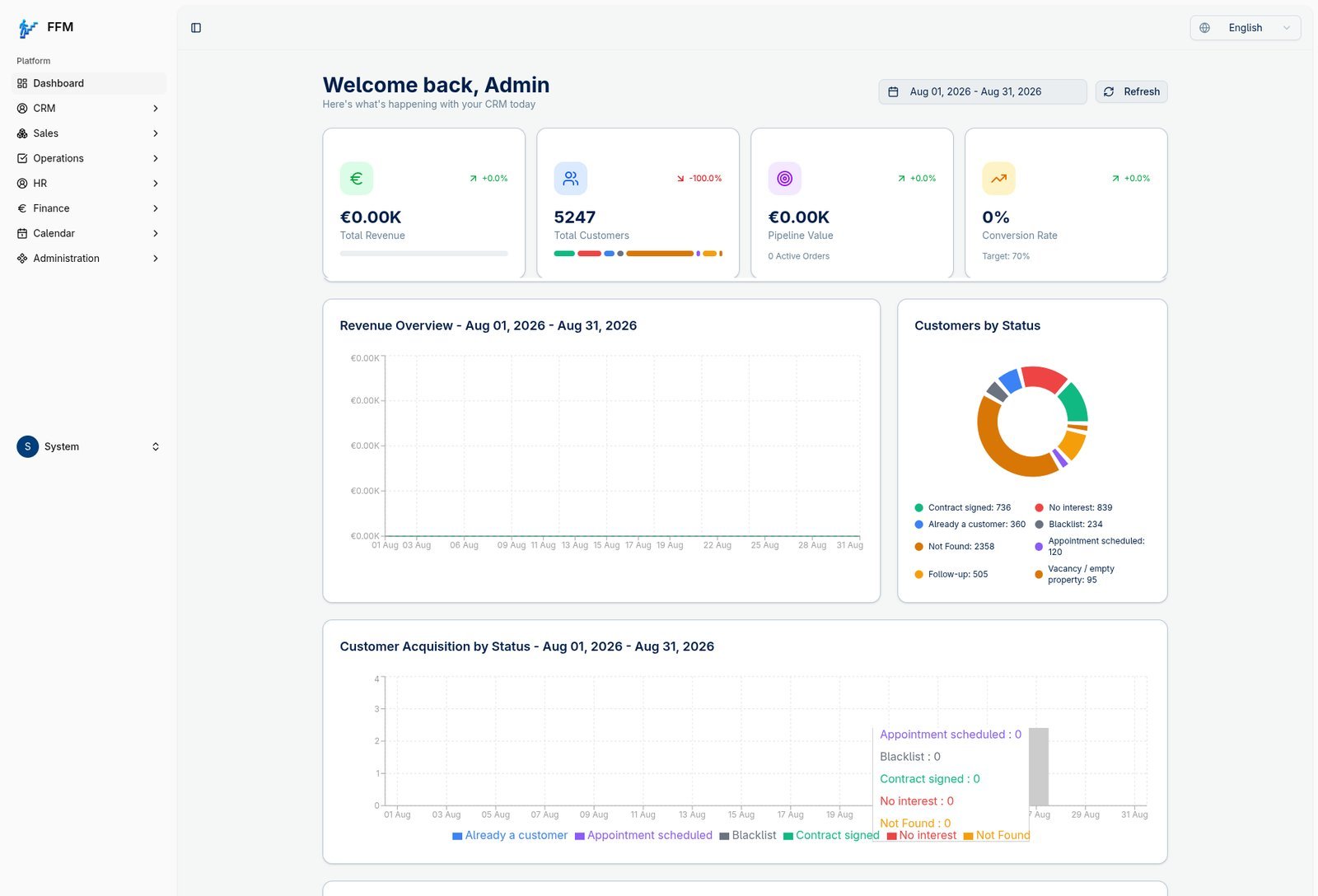
- A dashboard that shows pipeline and account status at a glance for whoever's running the day.
Decisions & trade-offs
The core of the system is address import plus geocoding, so we built the Addresses module and the map/polygon view first and treated everything else — freelancer management, calendar, documents — as CRM features layered around that core. Role-based access was built in from the start since the team includes admins, operations staff and freelancers who each need a different slice of the same data. We didn't build a client-facing portal in this phase; the brief was an internal operations tool for the Future Steps team, not a system their own customers would log into.
How it's built
Screenshot & purpose, module by module.
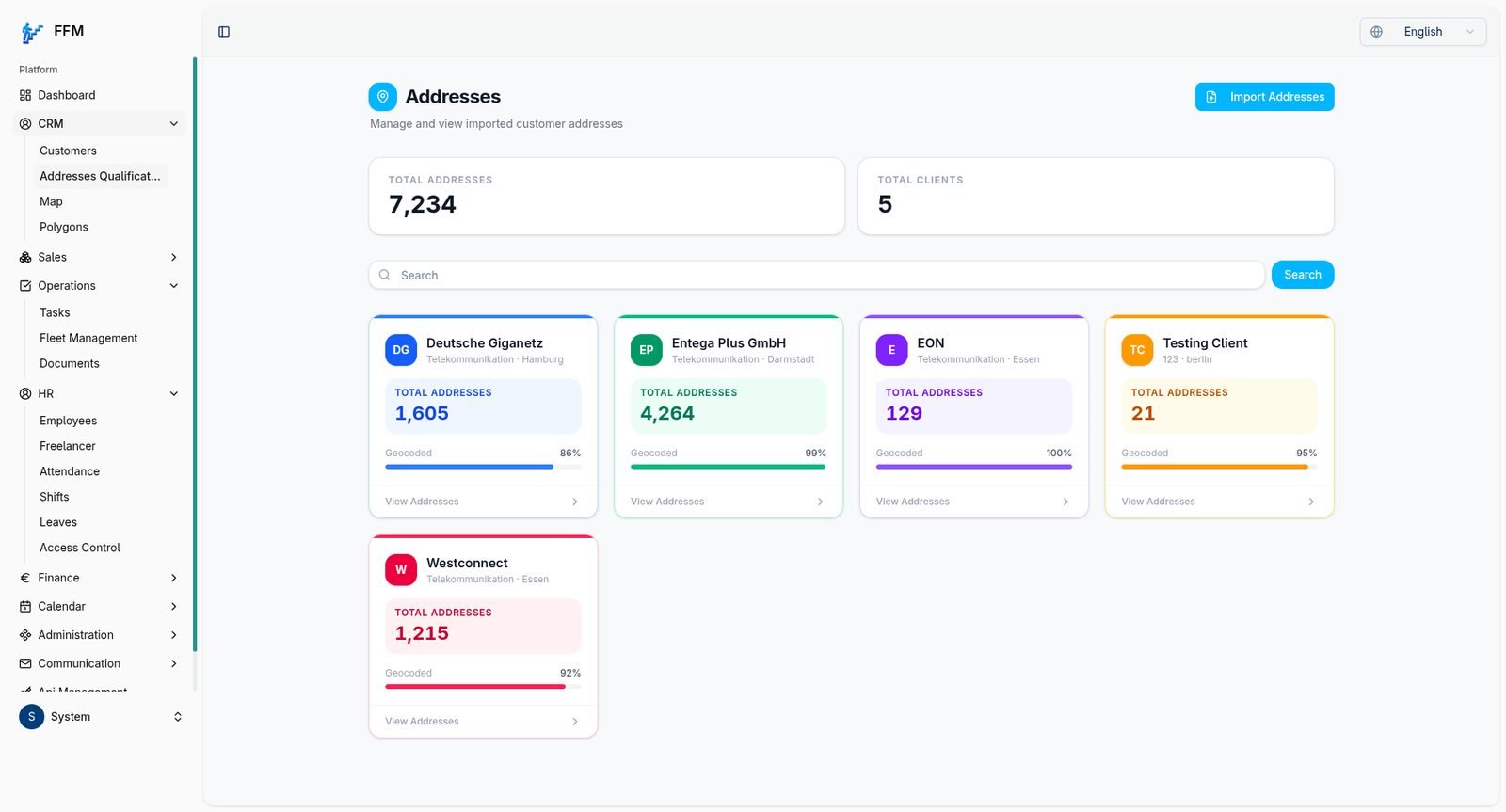
Address import & geocoding
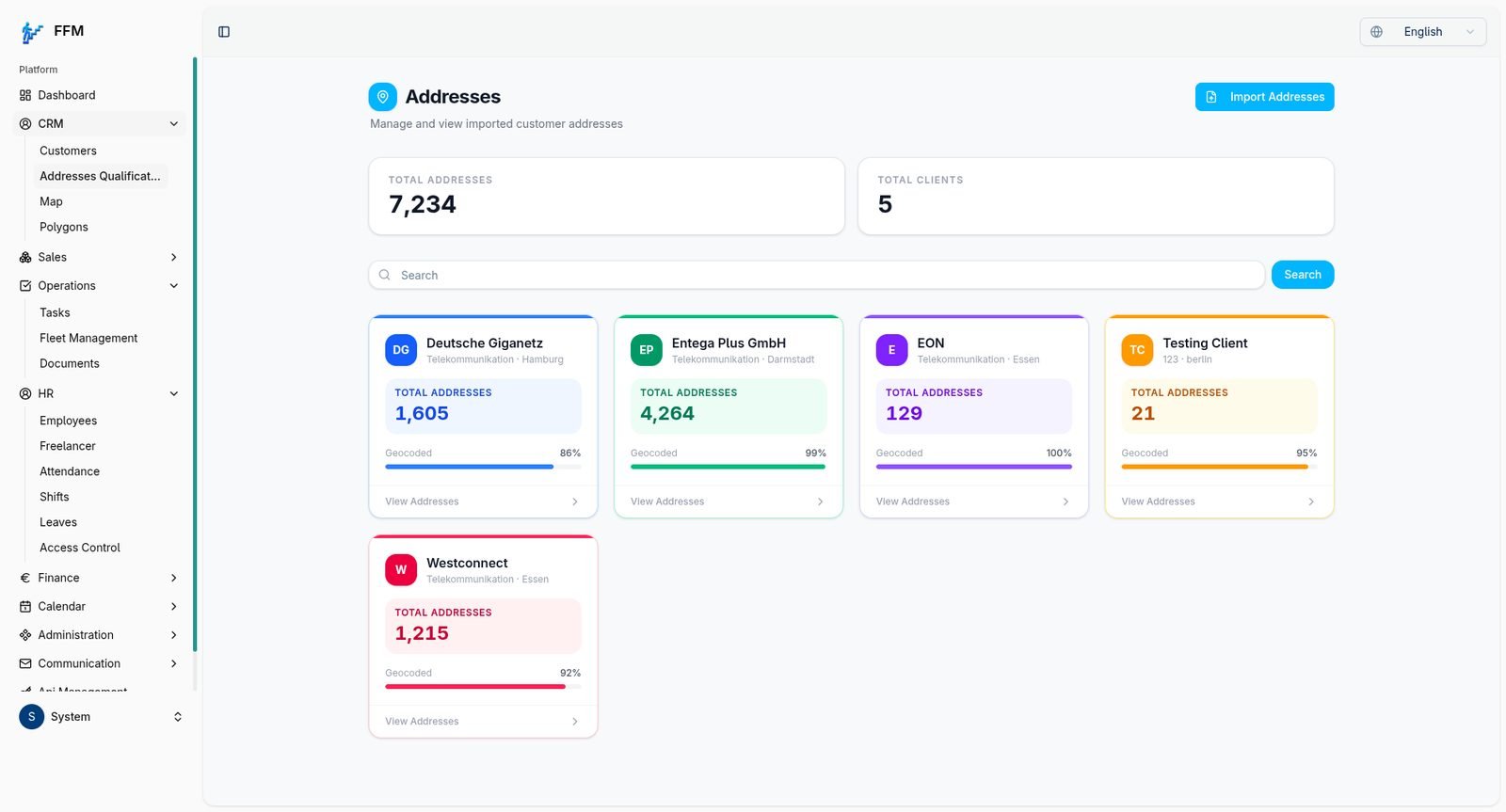
Bulk address import per client account, with a live geocoded percentage and quick search across thousands of records.
Map & polygon planning
Addresses plotted on a live map with drawable polygons, so the team can filter and plan by area or route rather than by list alone.
Admin dashboard
Pipeline value, customer counts and status breakdown in one view, so whoever's running the day can see where accounts stand without pulling a report.
Document management
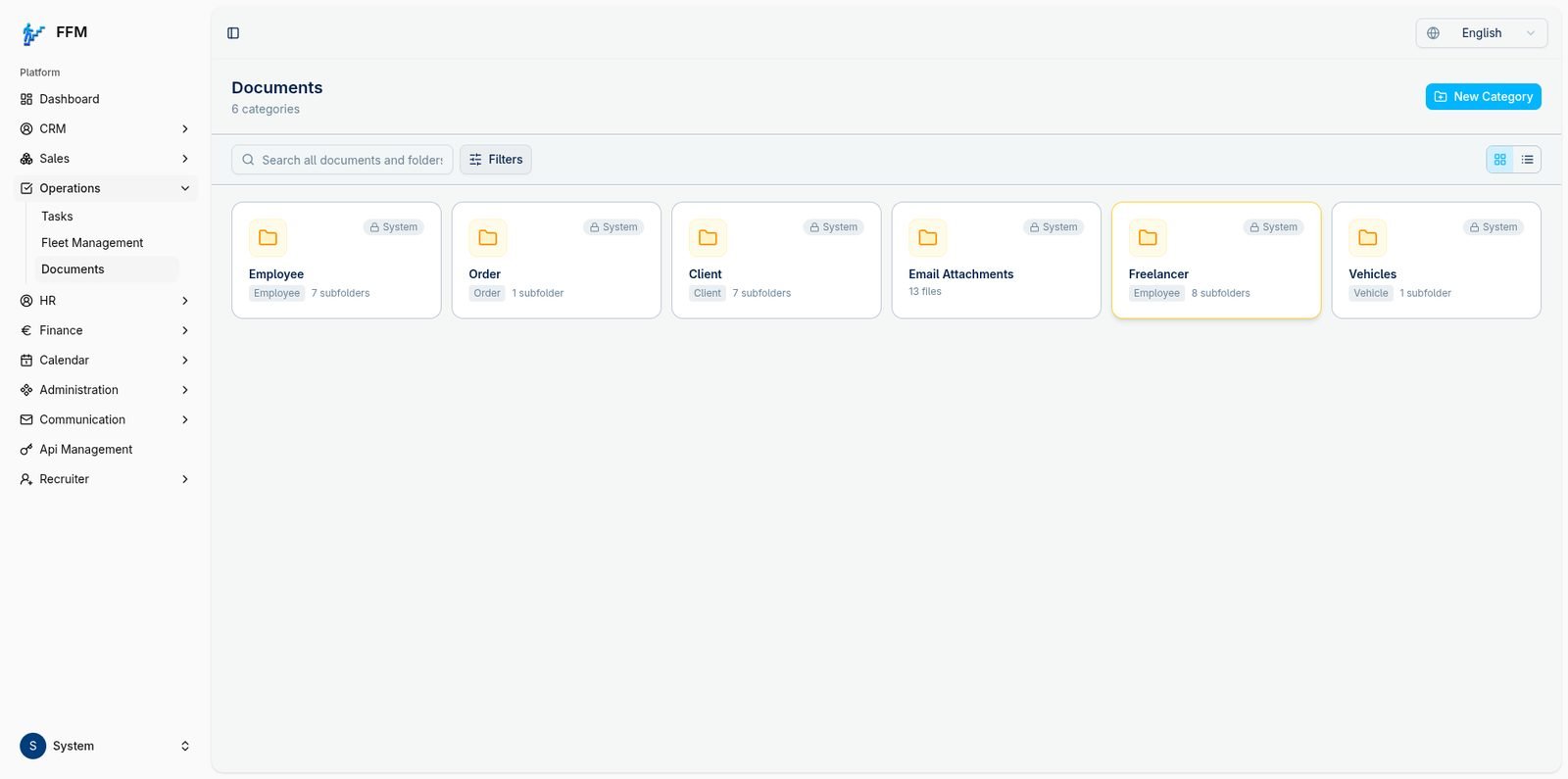
Employee, client, order and freelancer documents organised by category instead of scattered across email attachments.
Phasing & go-live
Address import, search and geocoding shipped first since it was the highest-friction part of the old spreadsheet process. The map/polygon view, freelancer management, calendar and document modules followed as the team's other spreadsheet-based processes were brought into the same system.
What changed
- 7,234 addresses across 5 client accounts managed and geocoded in one place, with per-account progress visible instead of tallied by hand.
- A live map and polygon tool for area and route planning, which the spreadsheet trail had no equivalent for at all.
- Client records, addresses and freelancer contracts now live in one system instead of three people's separate copies.
- The system is in daily use by the Future Steps team, not a pilot that stalled after handover.
What we'd do differently
Geocoding accuracy varies by client account (from the high 80s to 100% in the screenshots above), largely down to address data quality on import. With hindsight we'd build stronger import-time validation and duplicate detection from day one, rather than letting the team clean up low-geocoding accounts after the fact.