Custom Laravel ERP for a Retail & Electronics Business
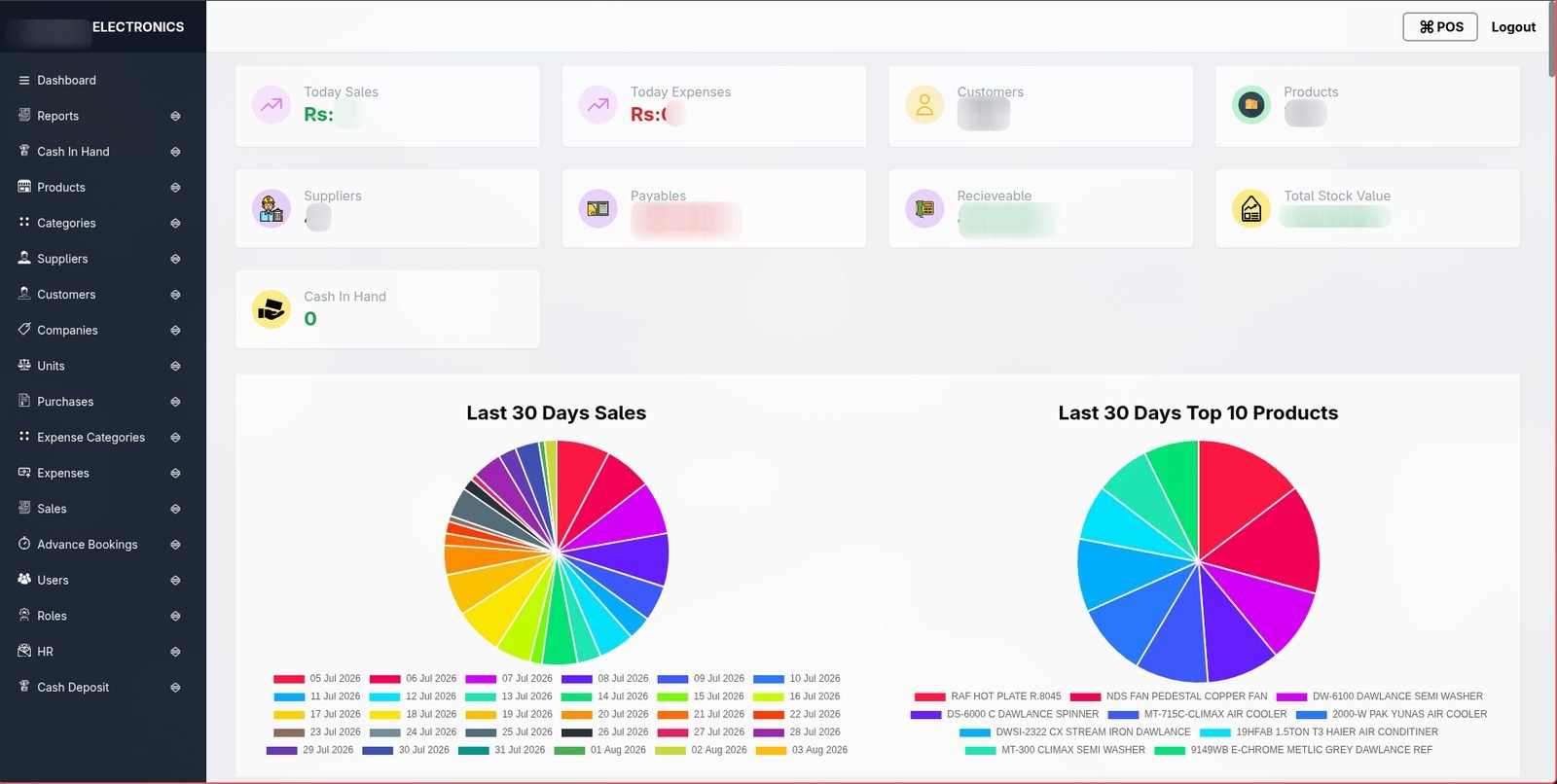
A single system for point-of-sale, inventory, credit and installment sales, supplier and customer ledgers, HR and payroll, cash handling, and reporting — replacing a stack of spreadsheets with one authenticated, role-based application.
At a glance
Where things stood
The business sells electronics and household goods across cash, credit, and installment plans. Before the build, stock, credit accounts, and installment schedules were tracked across spreadsheets and paper records, with no single view of what was owed, what was in stock, or what cash the business actually had on a given day.
What it was costing
Installment recovery in particular is hard to run from a spreadsheet: each sale needs a schedule, a guarantor, a running balance, and a way to flag who's behind — multiplied across hundreds of live accounts. Stock counts drifted from what was on the shelf because purchases, sales, and returns were recorded in different places. Payroll and attendance were handled separately from the sales side entirely, so owners couldn't see staff cost against the sales they were driving.
What success meant
- One system covering the full retail loop: buy stock, sell on any payment model, recover installments, pay staff and suppliers, report on profit and cash.
- Role-based access so sales staff, finance, and admin see only what they need.
- Printable, professional paperwork — invoices, receipts, salary slips — generated from the same records instead of retyped.
- Reporting an owner can actually read: cash flow, stock risk, and recovery, not raw exports.
Decisions & trade-offs
We built this as a monolithic Laravel backend with a Vue 3 + Inertia.js front end, so the app feels fast and single-page without maintaining a separate API project for every screen. Role and permission logic (via Spatie) was designed early, since the same system needed to serve sales staff, finance, and admins with different views of the same data. We deliberately didn't build a native mobile app or a customer-facing storefront for this phase — the brief was to fix the internal operating system first, not add new customer channels before the core numbers could be trusted.
How it's built
Screenshot & purpose, module by module.
Sales & checkout
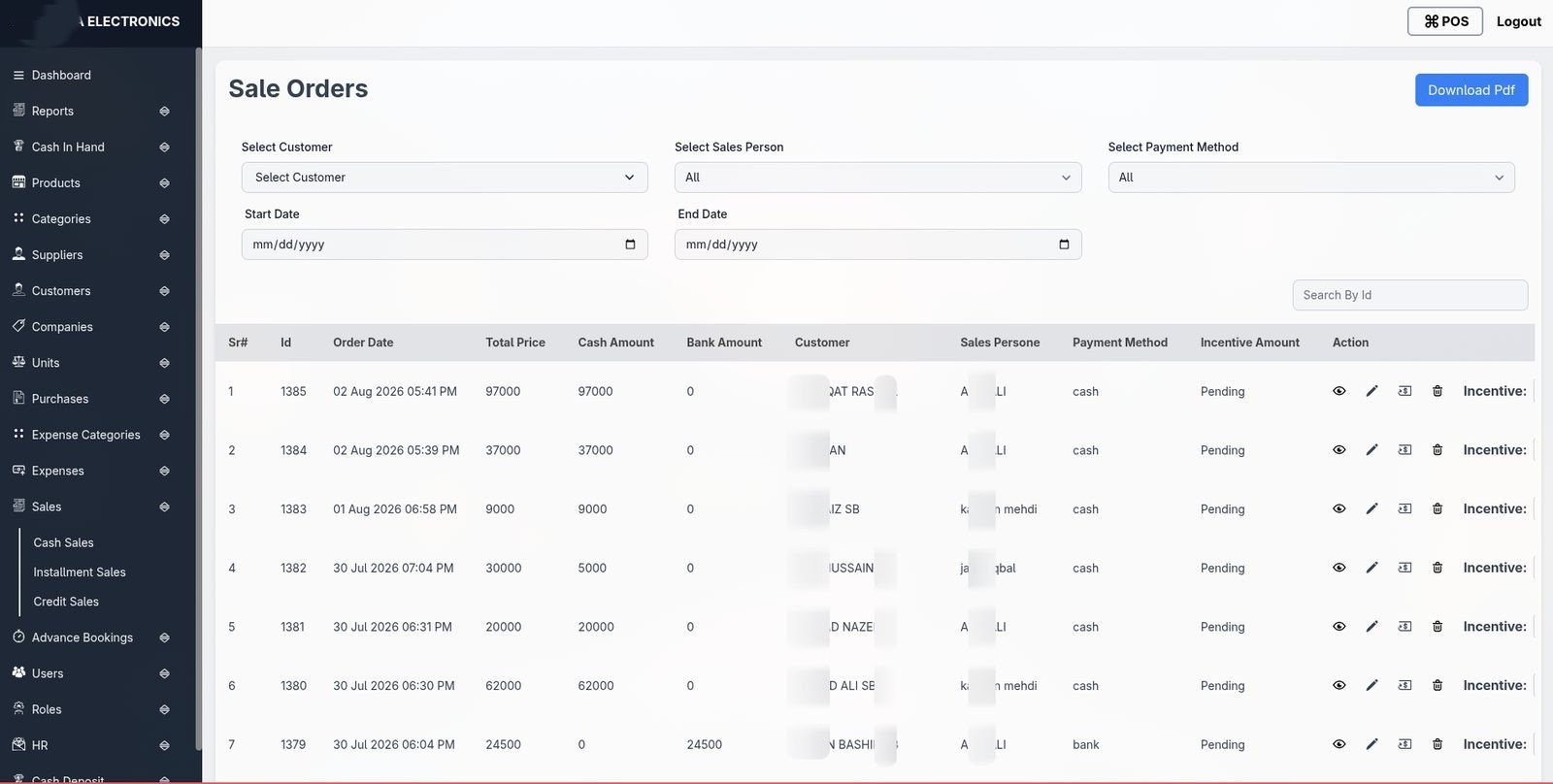
Cash, credit and mixed-payment orders, with PDF invoice printing and a searchable order list filtered by customer, salesperson or payment method.
Installment sales
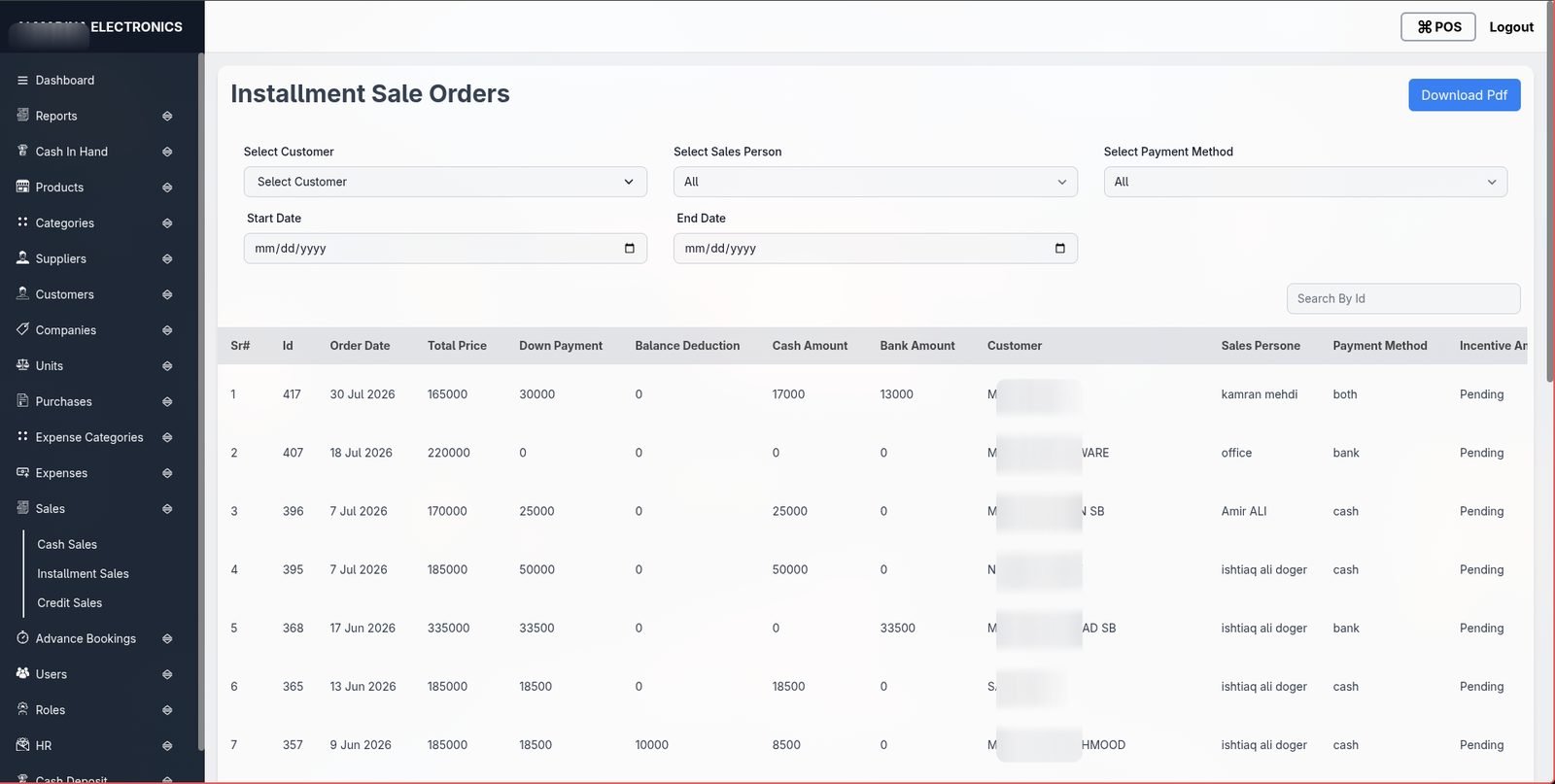
Installment orders with schedules, guarantors, down payments and balance tracking — the module the business runs its credit book on.
Bookings & advances
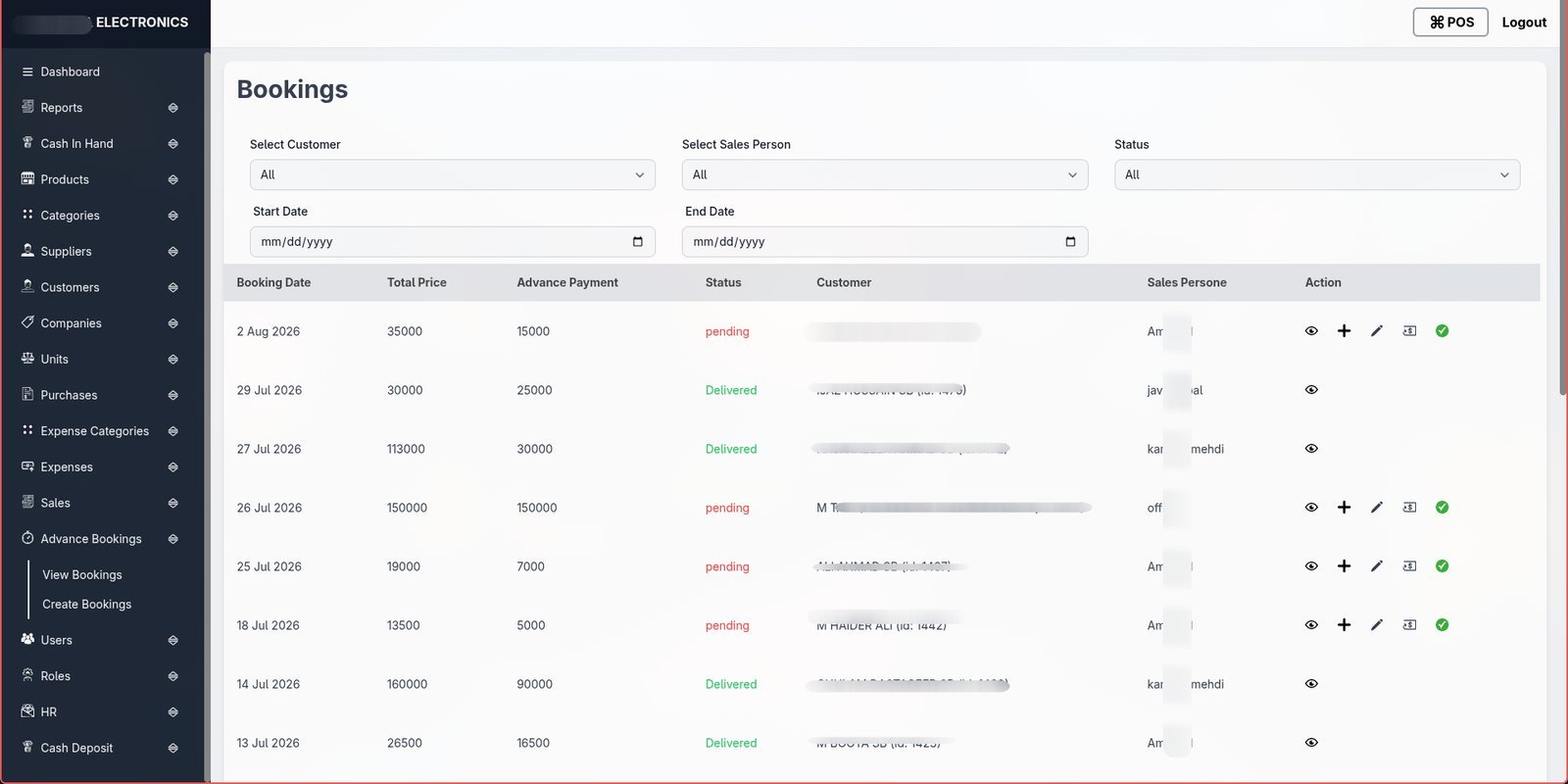
Reservations and advance payments with their own status flow, so stock can be held against a deposit before the full sale is confirmed.
Credit sales & recovery
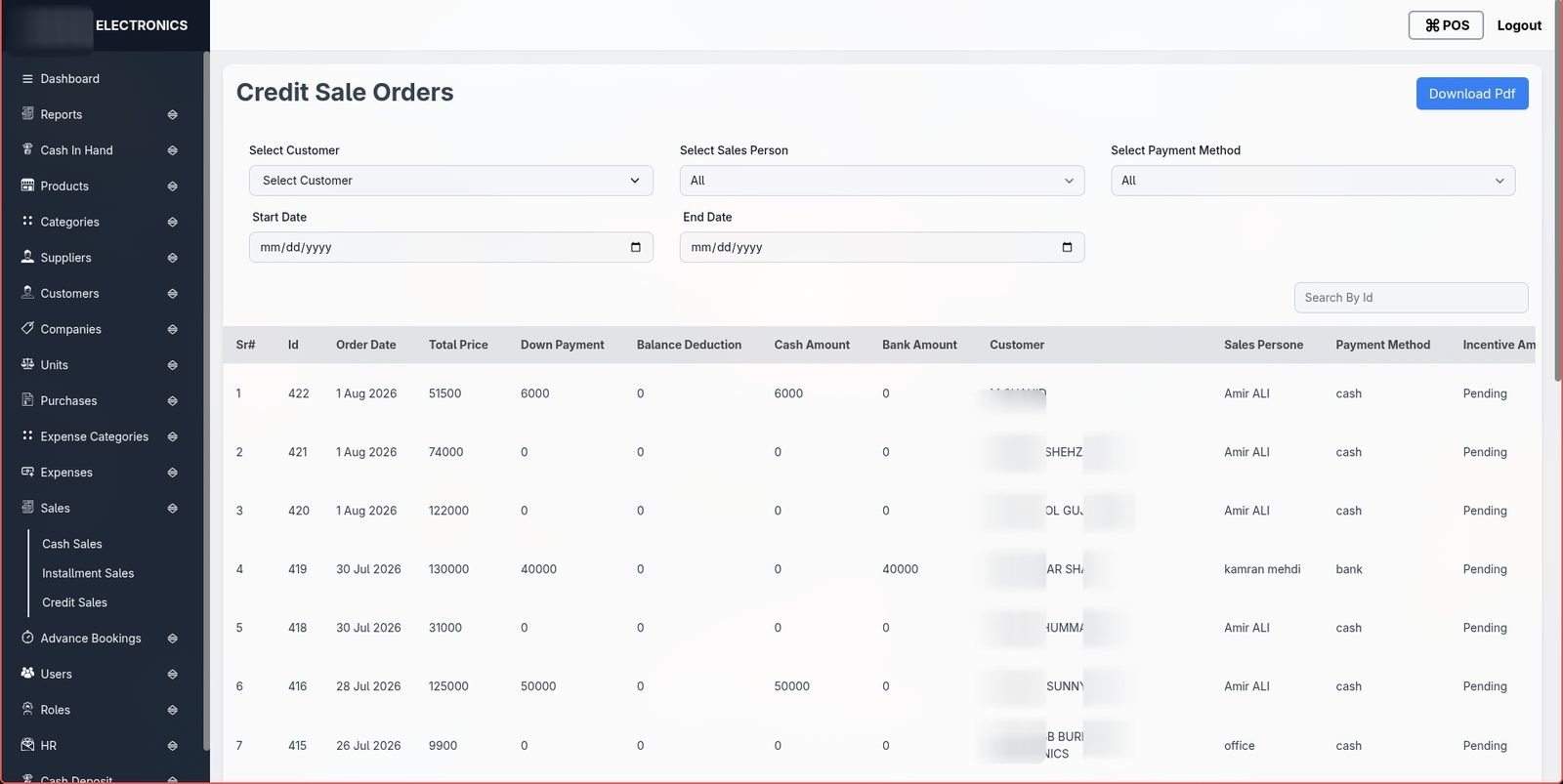
Credit orders with edits, refunds and dedicated reporting, so outstanding balances are visible per customer and per salesperson.
HR: attendance & payroll
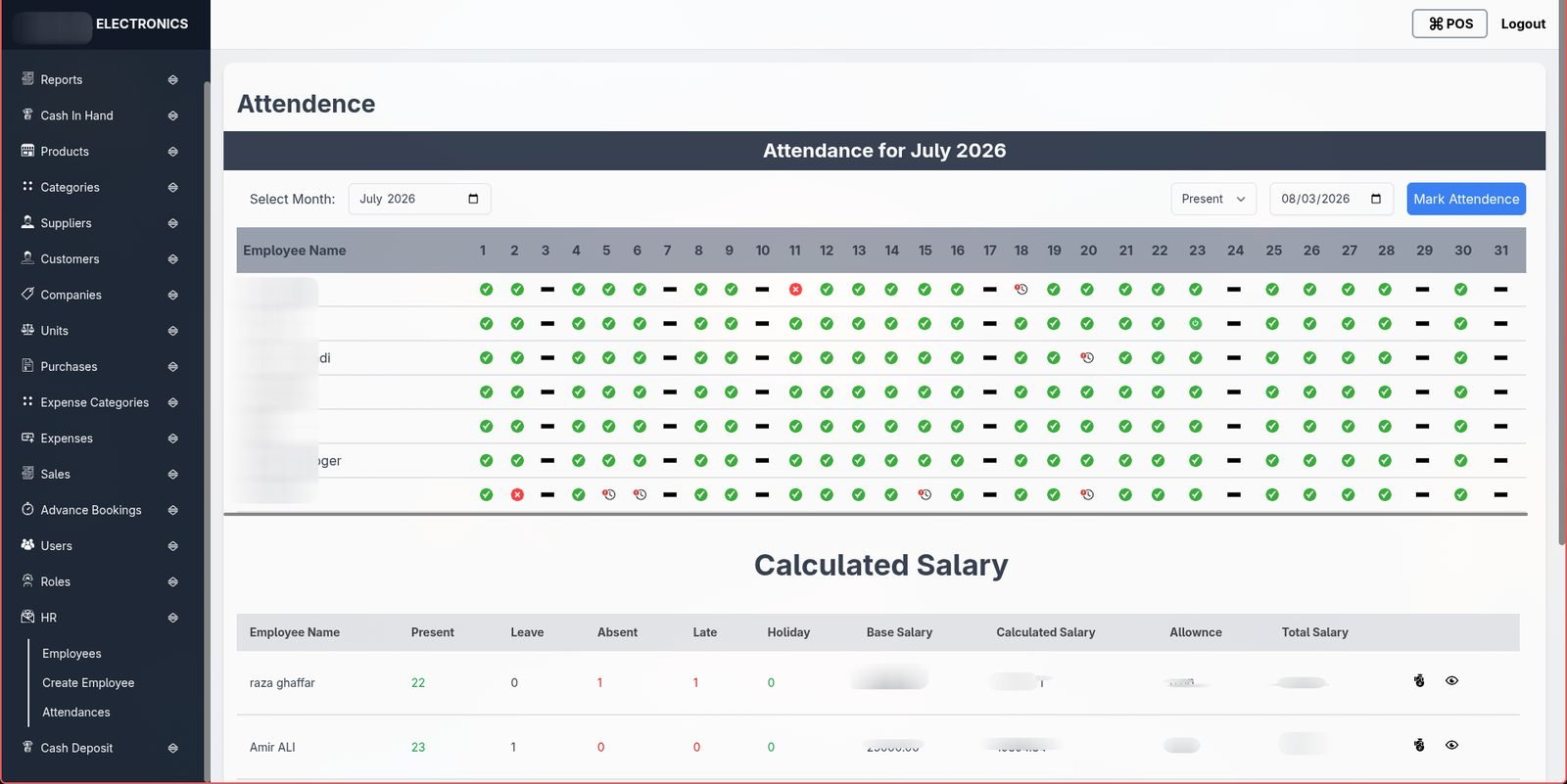
Daily attendance marking feeds directly into calculated salaries — present, absent, late and leave days all roll up into the pay run automatically.
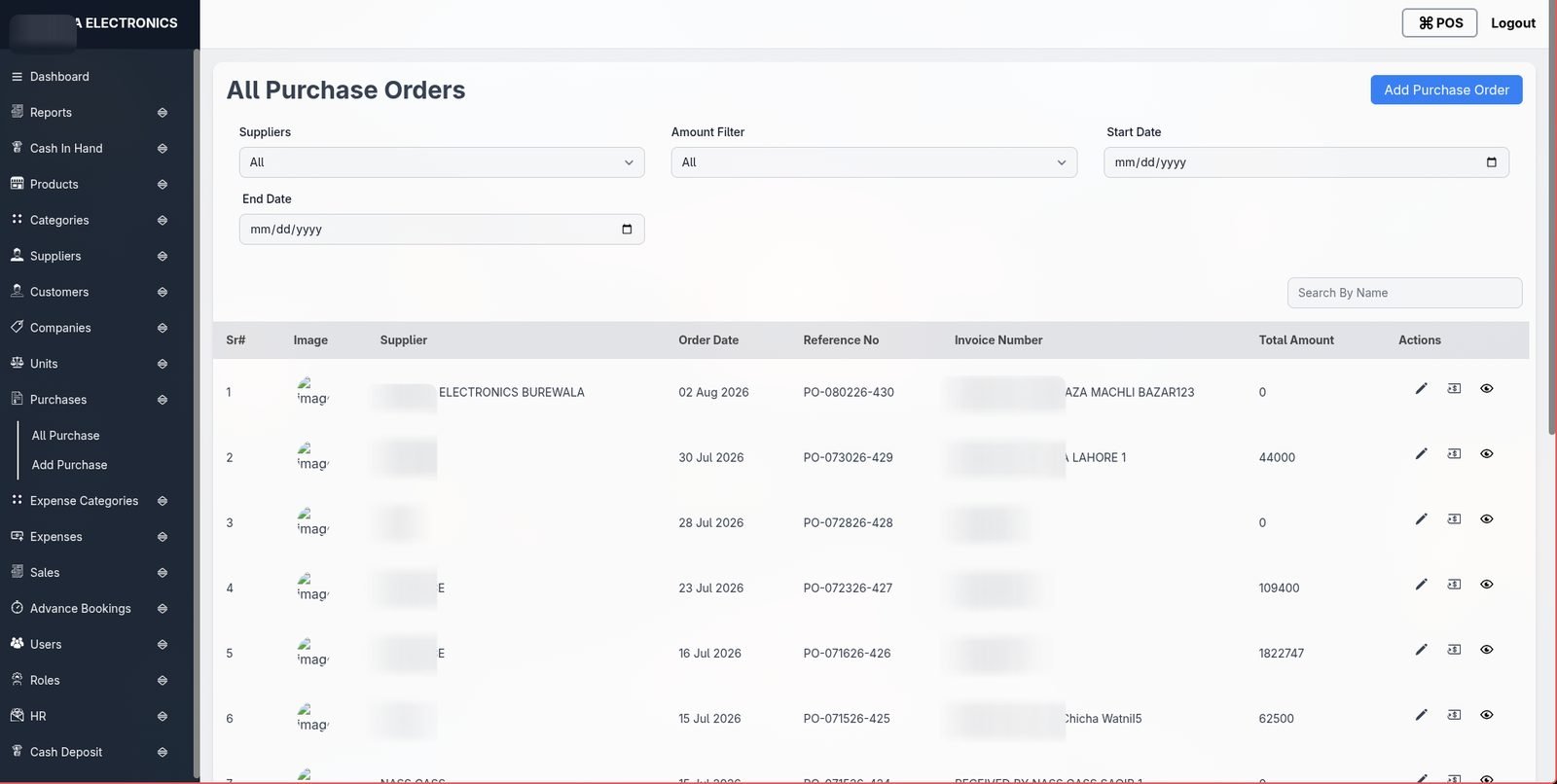
Purchasing & suppliers
Purchase orders and returns per supplier, with reference numbers and invoice tracking so incoming stock reconciles against what was ordered.
Phasing & go-live
The system replaced spreadsheet tracking module by module rather than in one cutover — sales and inventory first, since that's where daily activity was highest, then credit and installment tracking, then HR and payroll once the core sales data was stable. Staff were brought onto role-based logins as each module went live, which kept the transition low-risk: nobody had to relearn their whole job on day one.
What changed
- A single source of truth for stock, sales and cash instead of spreadsheets three different people were editing.
- Installment recovery — the part of the business hardest to track on paper — now has a dedicated schedule, guarantor and status per account.
- 15+ owner-facing reports (profit, cash flow, stock aging, recovery) generated from live data instead of manual exports.
- Attendance rolls straight into payroll, removing a second manual pass over the same numbers each month.
What we'd do differently
Given the number of report types the business ended up wanting, we'd design the reporting layer as a more generic query builder from the start rather than adding report endpoints one at a time — it would have saved rework once the second and third custom reports came in. We'd also push for barcode scanning at checkout earlier in the build; it was added as a later addition rather than part of the original checkout flow.