Customer & client portal development
"Where's my order?" "Can you resend that invoice?" "What's my balance?" "Which jobs am I booked on this week?" When customers, trade accounts or contractors can't see their own information, they call or email your team to ask — and your team looks it up in a system that already has the answer.
A portal gives them secure access to their part of that system. They check order status, download documents, see balances or update job details themselves, and your team gets back the hours spent answering.
What is a customer portal?
A customer portal is a secure website area where a business's customers — or partners, contractors or suppliers — log in to see and manage their own information, such as orders, invoices, documents, bookings or account details. It's typically an extension of a system the business already uses, such as a CRM or ERP, exposing part of that system to outside users with strict limits on what each can see.
Why portals fail — and how to avoid it
The portal is a copy, not a view. When a portal keeps its own copy of the data, someone has to keep it synchronized, and it drifts. A reliable portal reads from the same records your team uses.
It shows too little. If customers can't find what they actually call about, they keep calling. Portals should be designed around the most common questions your team answers today.
Login is a barrier. Complicated sign-up or forgotten passwords push people back to the phone. Access should be simple and secure.
Access control is superficial. Hiding data in the interface isn't security. Every request must be checked on the server against what that user is allowed to see.
What you get
Secure login with scoped access
Each user sees only their own information, enforced by the server on every request.
Self-service account views
Order status, documents, invoices, payment history and account details, available whenever they're needed.
Contractor and freelancer access
Assignments, schedules, addresses and paperwork for the people working on your behalf, with updates recorded as they happen.
Trade and account-specific pricing
Catalogs and prices can be scoped per account, with reordering and orders sent straight into your system — designed case by case around how your accounts actually work.
Built on your existing data
The portal reads from and writes to the same system your team uses.
Notifications
Email or in-portal updates when something changes.
Works on any device
Most external users open portals on a phone.
Your code
Source code and IP transferred on delivery.
Is this you?
- Staff spend hours each week answering “where's my order?” and “can you resend that?”
- Trade customers phone or email orders that someone types into your system.
- Contractors receive job details by email and report back the same way.
- Different customers get different prices, tracked by memory or a list.
- Documents are shared as email attachments, and nobody knows which version a client has.
If the tool is for your own team rather than outside users, see web application development.
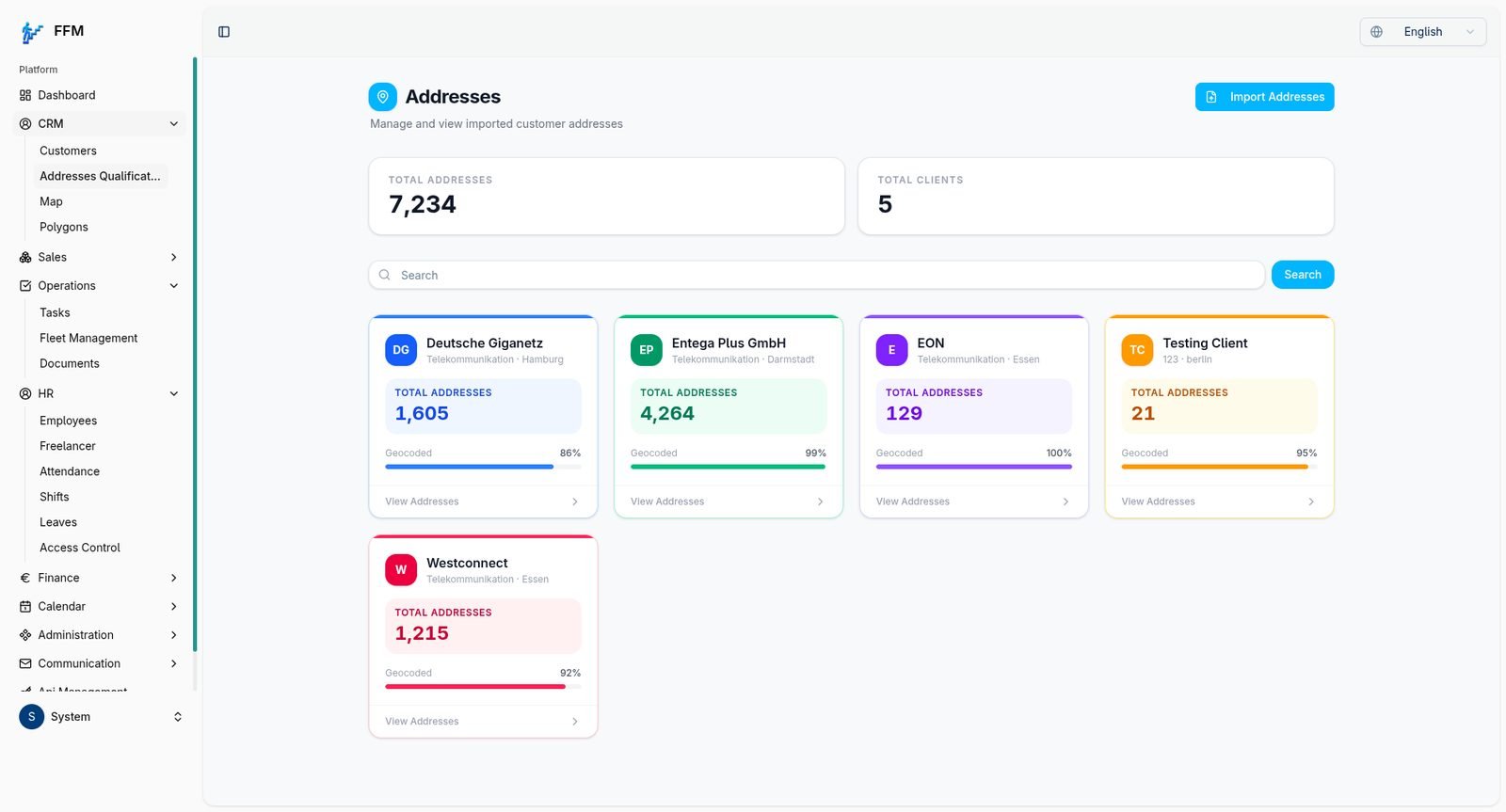
Future Steps CRM
Built with role-based access so admins, operations staff and freelancers each see their own slice of the same data — an internal operations tool rather than a portal for Future Steps' own customers, but the same access-control approach a customer portal is built on.
Read the case study →What it costs
Main factors: number of user types, what each can see and do, and how much of the underlying system already exists.
Frequently asked questions
Can a portal connect to the system we already have?+
Often, if the existing system can share data through an API or database access. We'll confirm before work starts.
How is each customer's data kept separate?+
Access is checked by the server on every request against the user's account, so they only ever receive records that belong to them.
Do customers need to install anything?+
No. A portal runs in a web browser on any device.
Who owns the portal?+
You do. Source code and IP transfer on delivery.
Discuss your portal
Tell us who the portal is for, what they currently call or email about, and where that information lives now.